
VCF 9 has shifted toward a more robust, API-driven deployment methodology, favoring JSON specification files over the old Cloud Builder UI and the manual Excel method. While you can still manually generate the JSON from the VCF Installer appliance, this PowerShell module gives you more control and flexibility right from your own machine.
The generator acts as a bridge, reading all the data you’ve already put into your P&P workbook and converting it into the correct JSON format needed to deploy your VCF instance, commission hosts, create workload domains, and more.
How does it work?
It’s pretty straightforward for anyone comfortable with PowerShell:
- Install the Module: You’ll need the
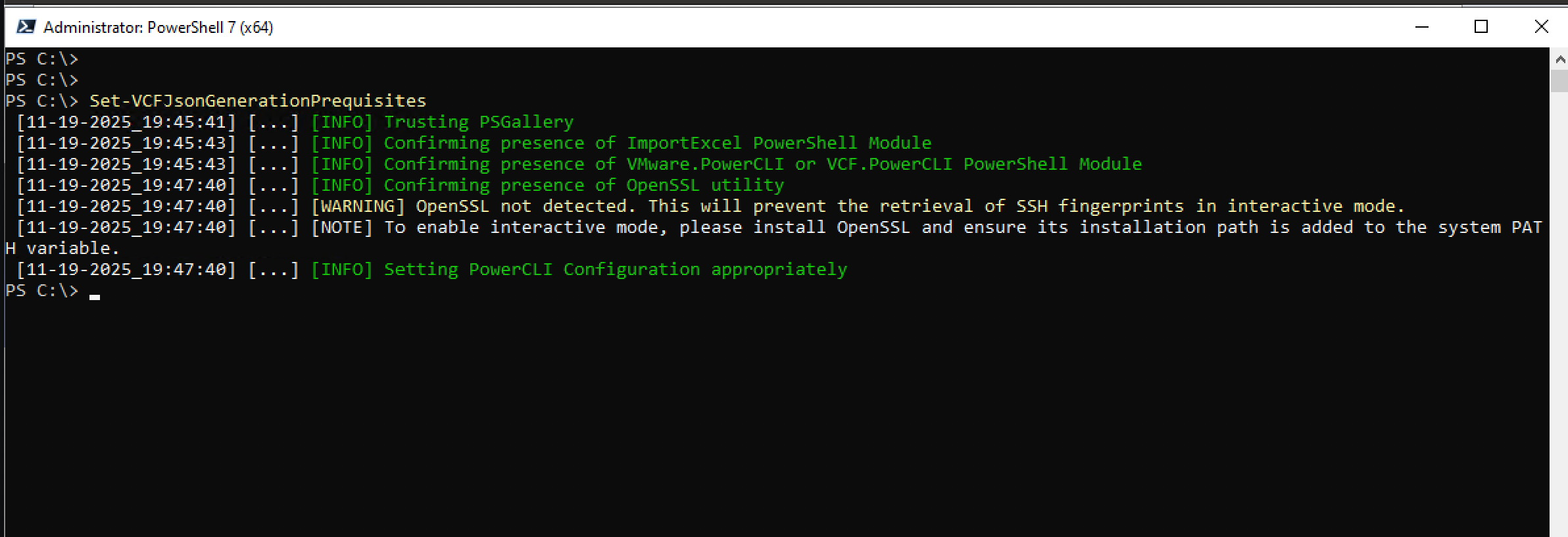
VCF.JSONGeneratorPowerShell module, along with a few dependencies likeImportExcelandVCF.PowerCLI1. The prerequisites can even be set up automatically using theSet-VCFJsonGenerationPrequisitescmdlet.
- Run the Generator: Navigate to where your P&P workbook is saved and run the
Start-VCFJsonGenerationcommand.
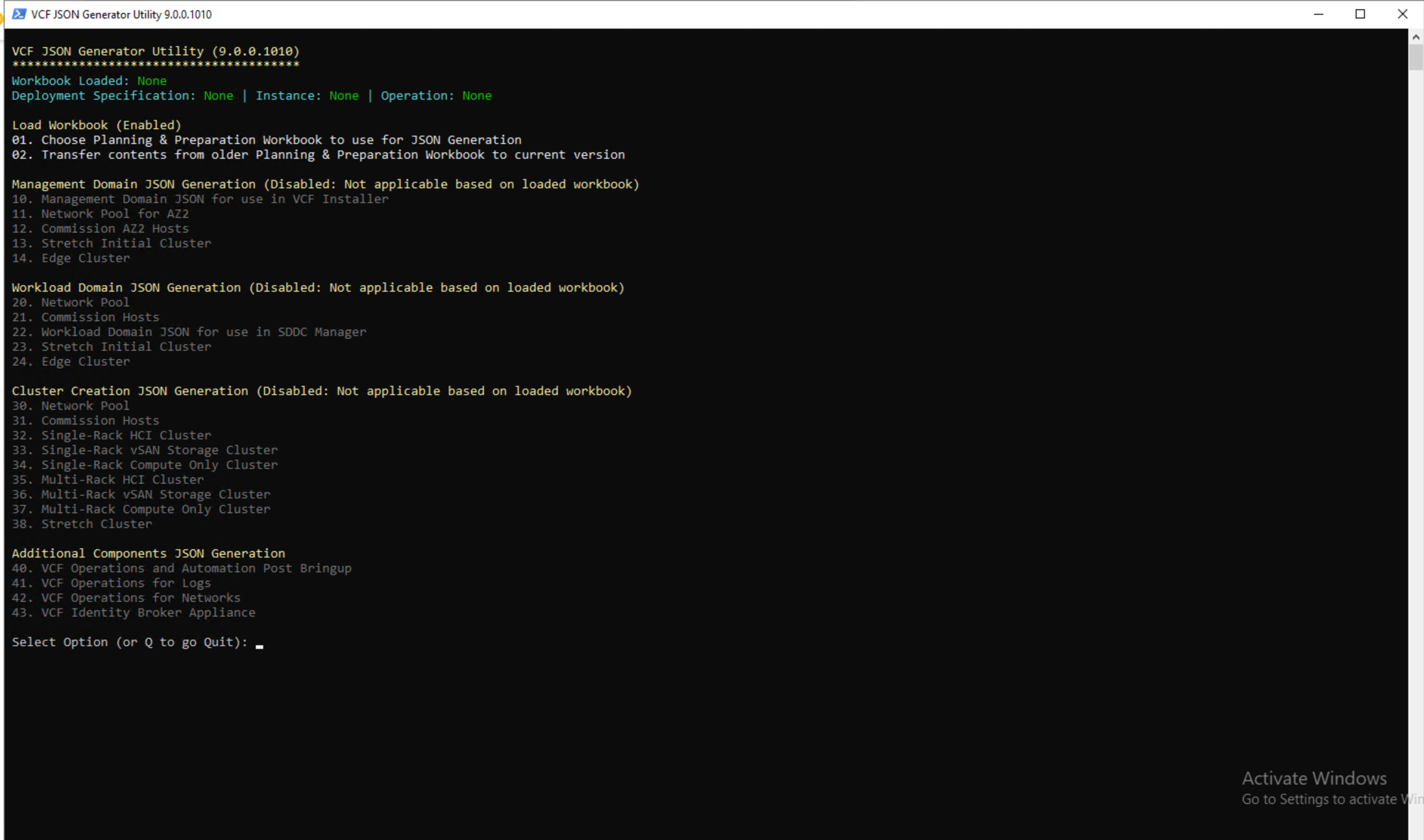
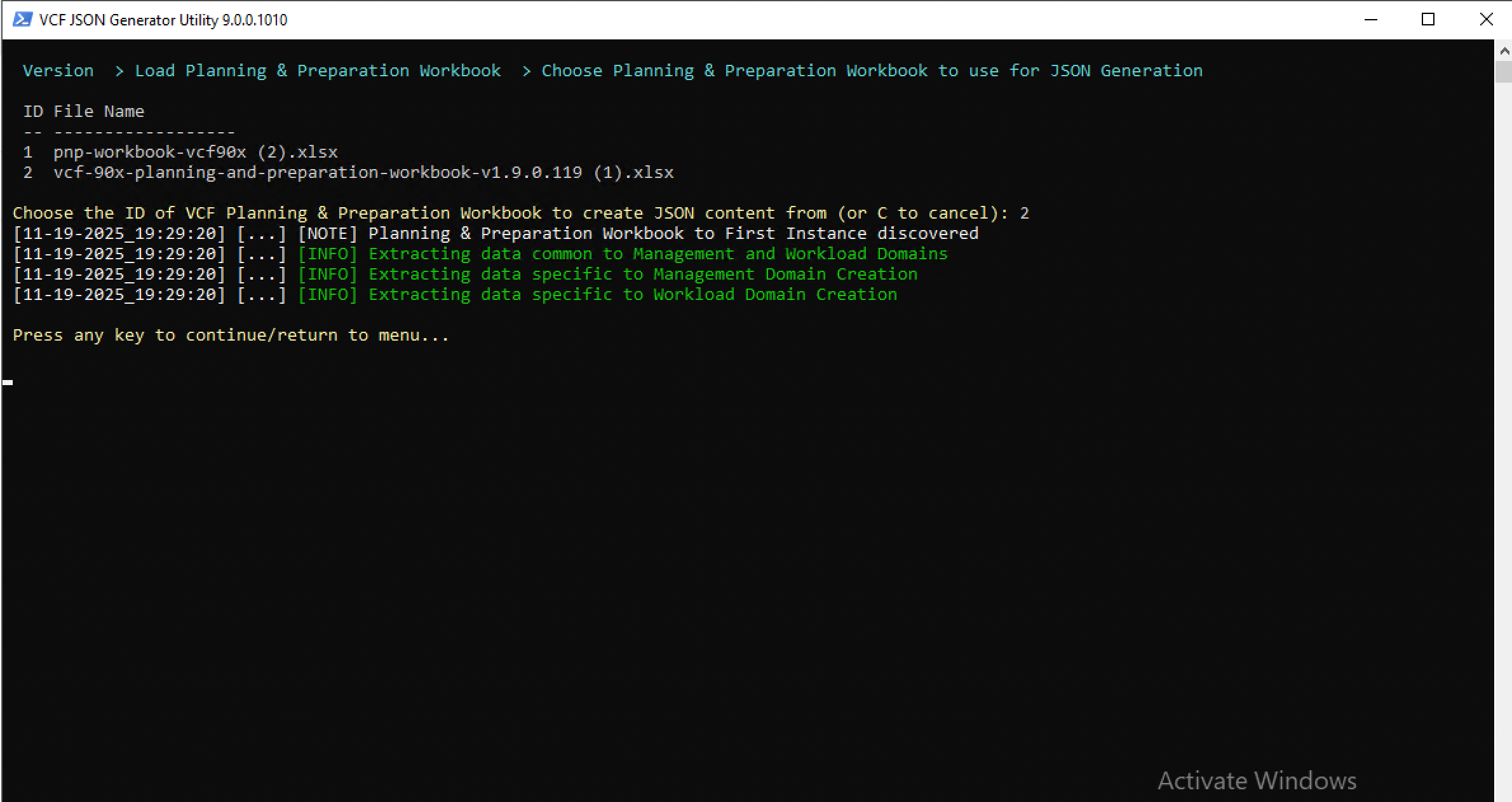
- Interactive Mode: The tool can guide you through the process, dynamically enabling/disabling options based on your workbook settings. It can even programmatically retrieve unique IDs (like vCenter or NSX object IDs) from your running systems if you choose the interactive mode.
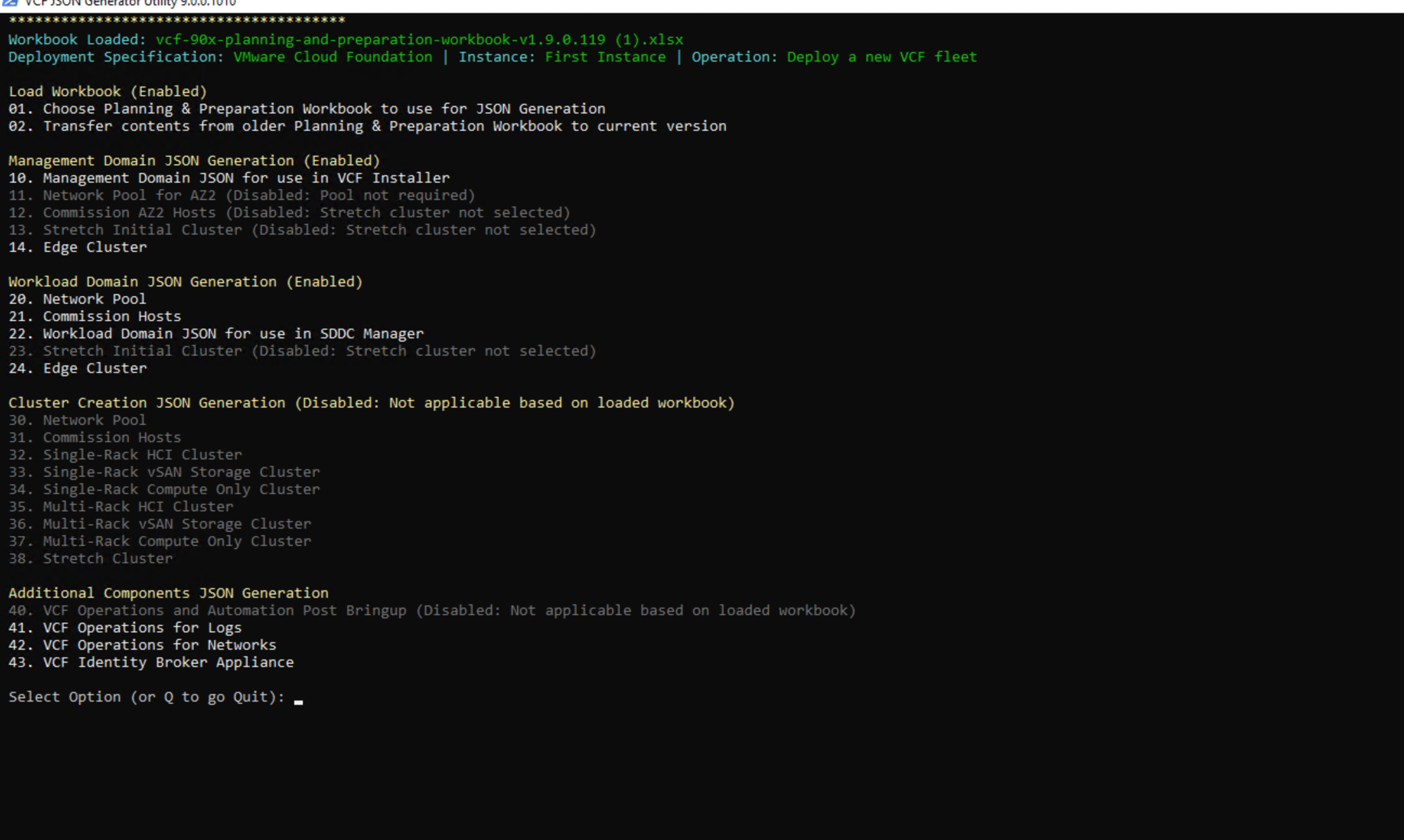
- Get Your JSON: Out pops a JSON file ready for submission to the VCF APIs or VCF Installer. JSON file is stored under the same location as PnP.
The Caveats (The “Keep in Mind” stuff)
- P&P Version Matters: There’s a tight link between the version of your P&P workbook and the generator module, so make sure they match up.
- Prerequisites are on you: The tool generates the file, but you still need to handle all the necessary pre-configuration (like setting up NTP servers and certificates) in your environment before you deploy.
- Credentials are plaintext: The generated JSON file contains credentials in plaintext, so store it securely!
Why use it?
This tool is a huge time-saver for anyone looking to automate their VCF deployments or who just prefers a programmatic approach over clicking through a UI. It helps bridge the gap between the planning phase (the Excel file) and the automation phase (the APIs).
You can check out the creator’s blog post for more details and to get started with the module. Happy deploying!














One thought on “Introducing VCF JSON Generator for VCF”