In previous posts, we talked about getting VCF9 set up with your custom networking, and now that your VCF Operations is humming along, it’s time for the all-important first step: licensing your VCF environment.
In VCF9, VCF Operations takes center stage, handling the licensing for the entire VCF stack. Good news—it’s subscription-based, ditching the old license key model!
You have two ways to register your VCF Operations: Connected or Disconnected.
- Connected Mode: Your VCF Operations just needs access to the Business Service Console, and you’re good to go.
- Disconnected Mode: You’ll need to download a registration file and manually generate the license file.
Just a heads-up: Regardless of the mode, you’ll need to update your license every 180 days to keep things running smoothly.
For this post, let’s walk through the steps for the Disconnected Mode registration.Disconnected Licensing Made Easy
- Get the Registration File:
- Log in to VCF Operations.
- Navigate to License Management -> Registration.
- Under the Disconnected mode option, click Download registration file.
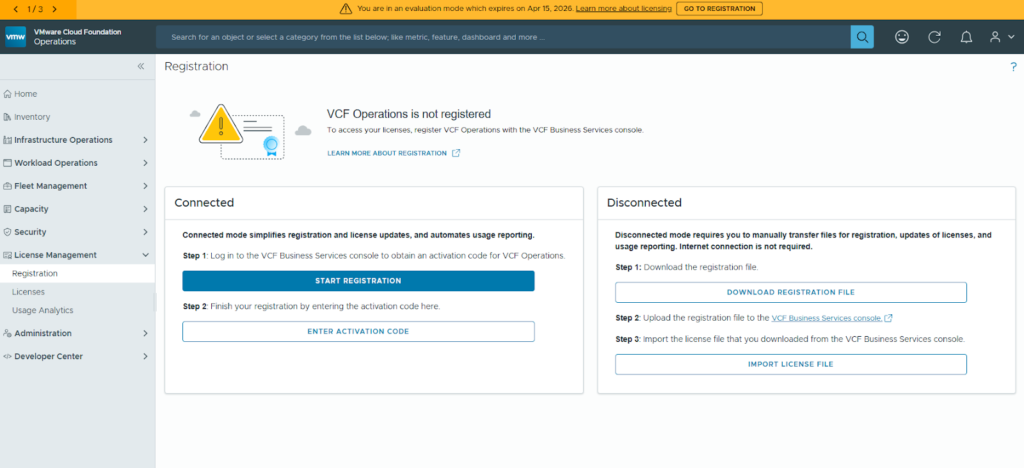
- Generate the License File:
- Head over to the VCF Business Service console (that’s https://vcf.broadcom.com/) and log in with your credentials. (Make sure you have permission to manage licenses in the Broadcom portal!)
- Follow the prompts on the screen. You’ll enter the number of cores you need. If you’re using vSAN, be sure to mention the required TB as well, and then generate your license file.
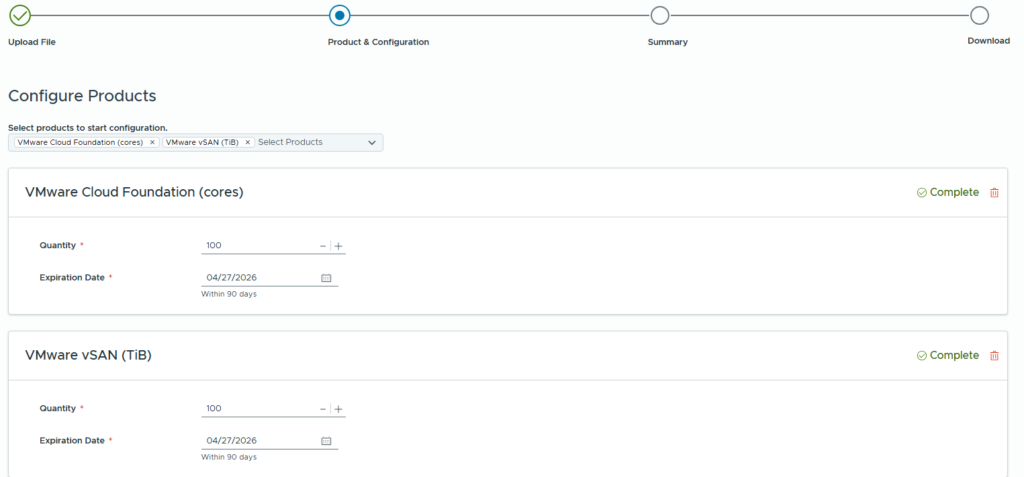
- Import and Apply:
- Jump back into VCF Operations License Management.
- Click on Import License file and upload the file you just generated in Step 2.
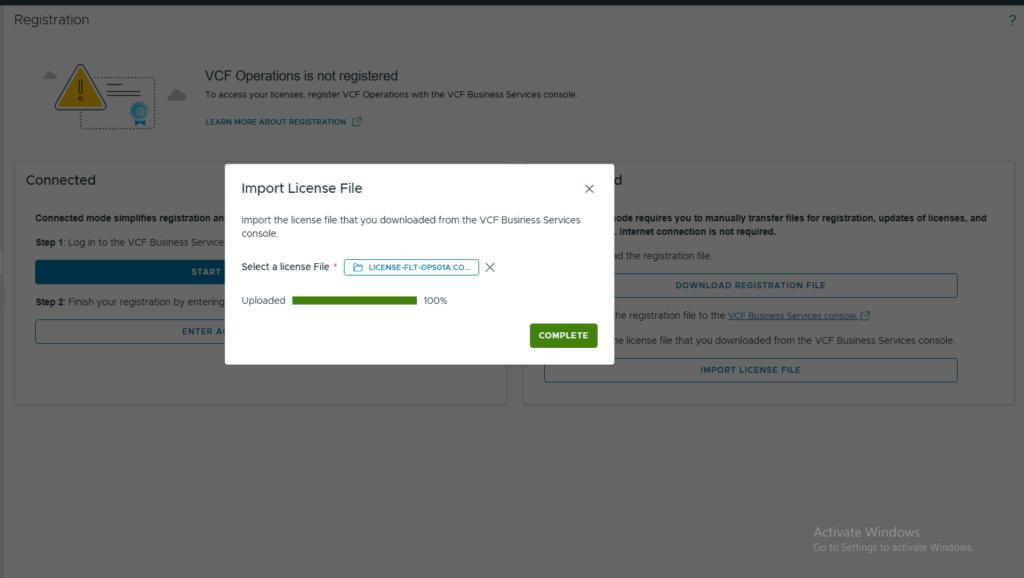
- Finalize the Licensing:
- Now, go to Licenses and License Management. You’ll see your shiny new license is available, but it’s not applied to vCenter yet.
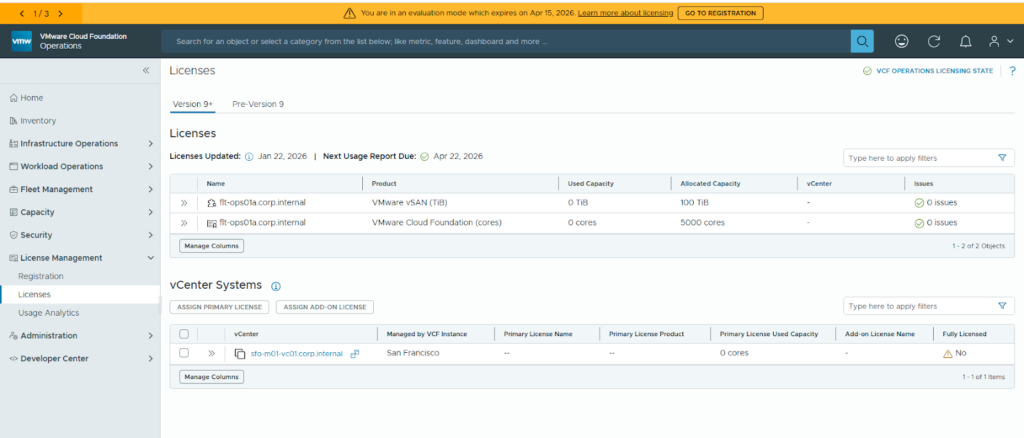
- Select your vCenter, and apply both the primary license and any add-on licenses.
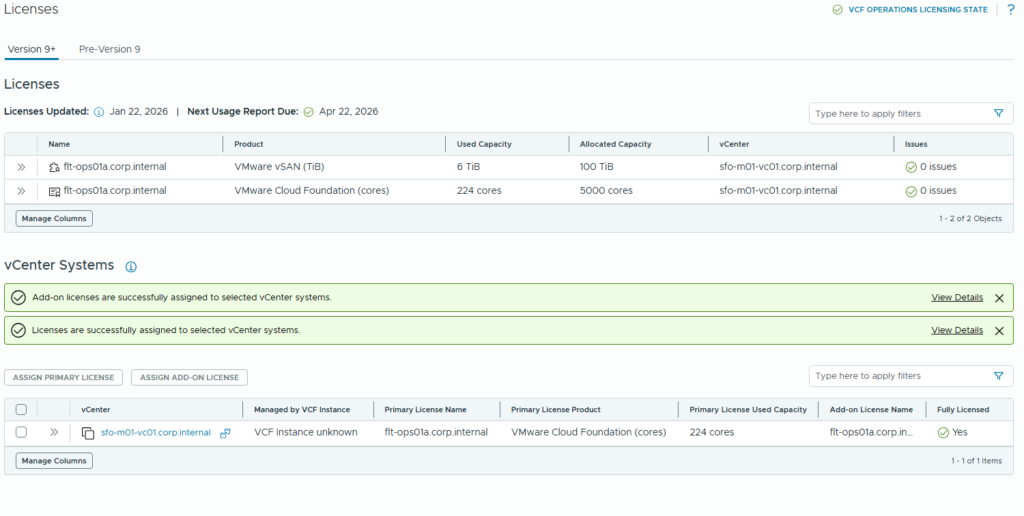
Boom! Your environment is now fully licensed and ready to rock!
In our next articles, we’ll dive into deploying VCF Operations for logs, VIDB, and VCF Operations for networks. Stay tuned!